Manage your team's subscription and view usage information.
Accessing Team Billing
- Ensure you're in your team account
- Click Billing in the sidebar
- The URL is
https://sellfaster.eu/home/[team]/billing
Note: Billing access requires the
billing.managepermission, which is restricted to team owners.
Subscription Overview
Current Plan
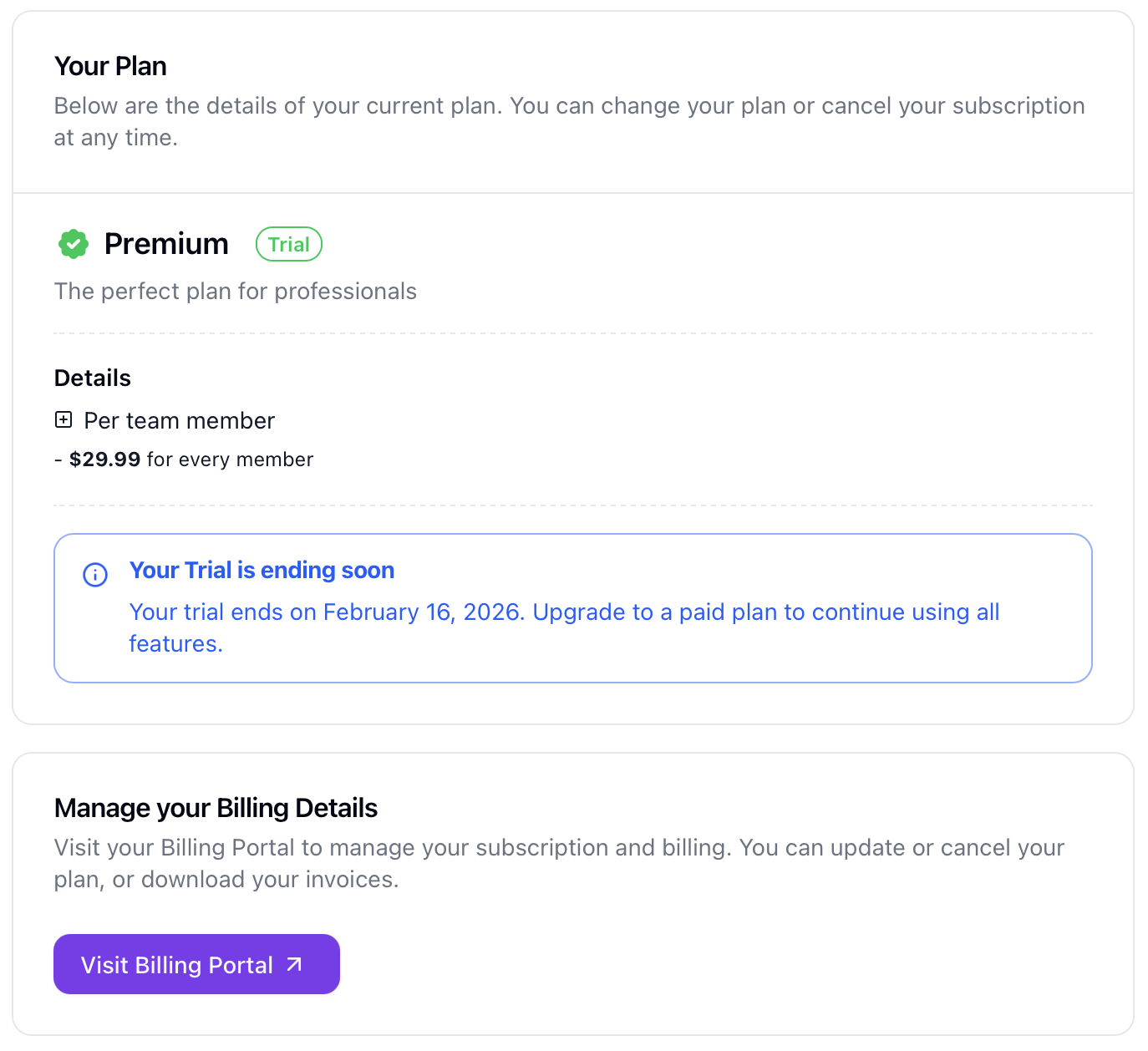
If you have an active subscription, you'll see:
| Information | Description |
|---|---|
| Plan Name | Your subscription tier (e.g., Starter, Premium) |
| Status | Active, Canceled, or Past Due |
| Price | Monthly or annual cost |
| Billing Cycle | Monthly or Annual |
| Renewal Date | Next billing date |
Available Plans
Two subscription tiers are available:
| Plan | Price | Features |
|---|---|---|
| Starter | €19.99/month per seat | Basic features |
| Premium | €29.99/month per seat | Advanced features including Custom Fields |
Both plans include a 7-day trial period.
Note: Pricing is per-seat, scaling with the number of team members.
Subscribing
New Subscription
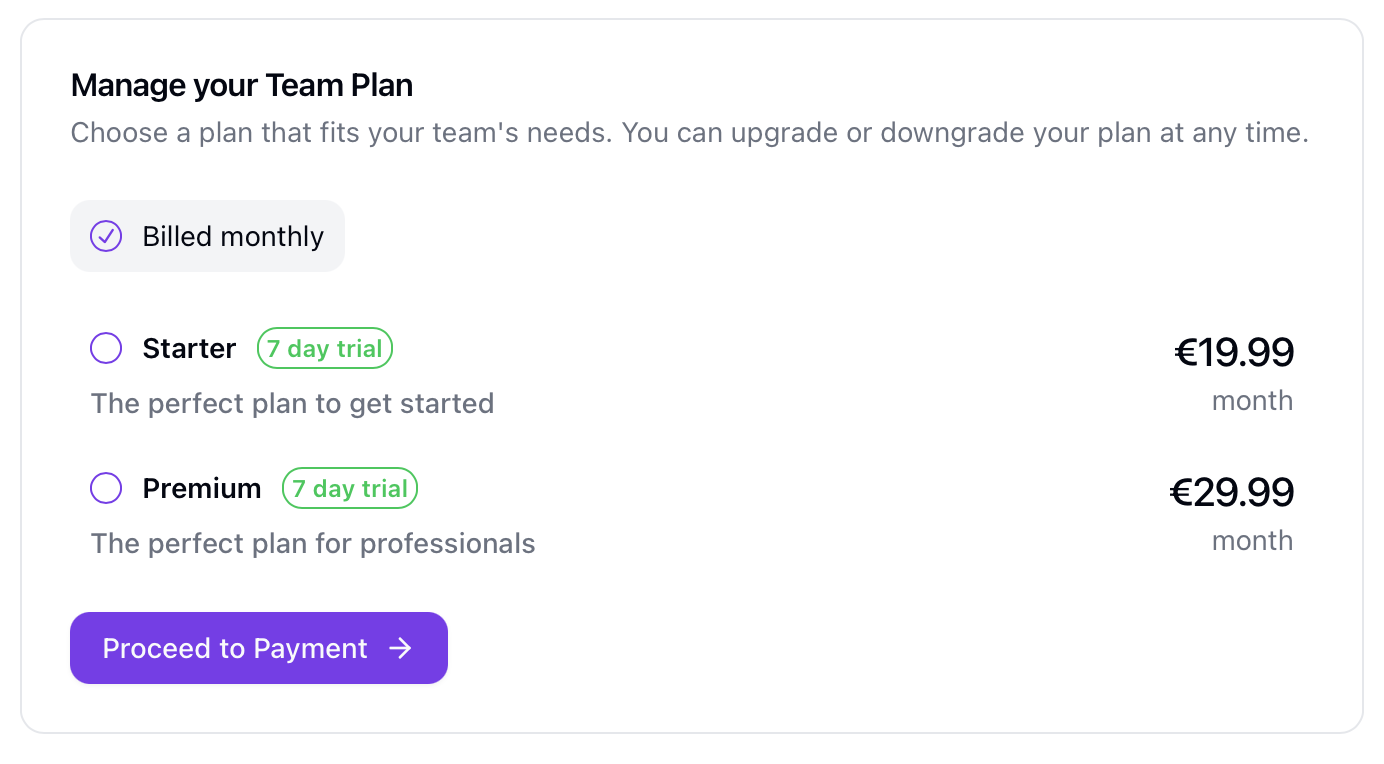
If you don't have an active subscription:
- Navigate to the Billing page
- Select a plan from the plan picker
- Complete the checkout process
- Your subscription becomes active immediately
Checkout Return
After completing checkout, you'll be redirected to a confirmation page showing:
- Checkout status (success, pending, or failed)
- Option to resume incomplete checkouts
Managing Your Subscription
Billing Portal
For advanced billing management, use the billing portal:
- Click Manage Billing or Billing Portal
- You'll be redirected to the payment provider's portal
- From there you can:
- Update payment methods
- Cancel your subscription
- View billing history and invoices
- Download tax documents
Note: The billing portal button only appears if you are an existing customer.
Changing Plans
To upgrade or downgrade your plan:
- Access the billing portal
- Modify your subscription
- Changes are processed according to the billing provider's policies
Canceling
To cancel your subscription:
- Access the billing portal
- Cancel your subscription
- Access continues until the end of the current billing period
Limitations
Not Available In-App
The following features require the external billing portal:
- Direct payment method management
- Invoice history and downloads
- Subscription cancellation
- Refund requests
Troubleshooting
Can't Access Billing
If you can't access the billing page:
- Verify you are the owner of the team account
- Contact your team owner
Billing Portal Not Working
If you can't access the billing portal:
- Verify you have an active subscription or past purchase
- Check that you're the billing account holder
- Try clearing browser cache and cookies
Payment Failed
If your payment fails:
- Access the billing portal
- Update your payment method
- Retry the payment
- Contact your bank if issues persist
Related Topics
- Team Settings - Team configuration
- Member Management - Team members (affects per-seat pricing)
- Billing Issues - Common problems