If you need to delete your Sellfaster account, this guide explains the process and what to expect.
Before You Delete
What Gets Deleted
When you delete your account, the following is permanently removed:
| Data | Status |
|---|---|
| Profile information | Deleted |
| Login credentials | Deleted |
| Personal account data | Deleted |
What Happens to Team Data
If you're a member of team accounts:
- Your membership is removed from all teams
- Your contributions (interactions, sales) remain with the team
- Your name may be replaced with "Deleted User" on records
What You'll Lose Access To
- All personal data and history
- Any active subscriptions
- Team memberships
- Ability to sign in
Alternatives to Deletion
Before deleting, consider these alternatives:
Leave Team Instead
If you only want to leave a team:
- Go to the team's member settings
- Click Leave Team
- Your personal account remains intact
Cancel Subscription
If billing is the concern:
- Go to Billing settings
- Cancel your subscription
- Keep your account for potential future use
Deletion Process
Account deletion requires email verification via a one-time password (OTP) for security.
Step 1: Access Account Settings
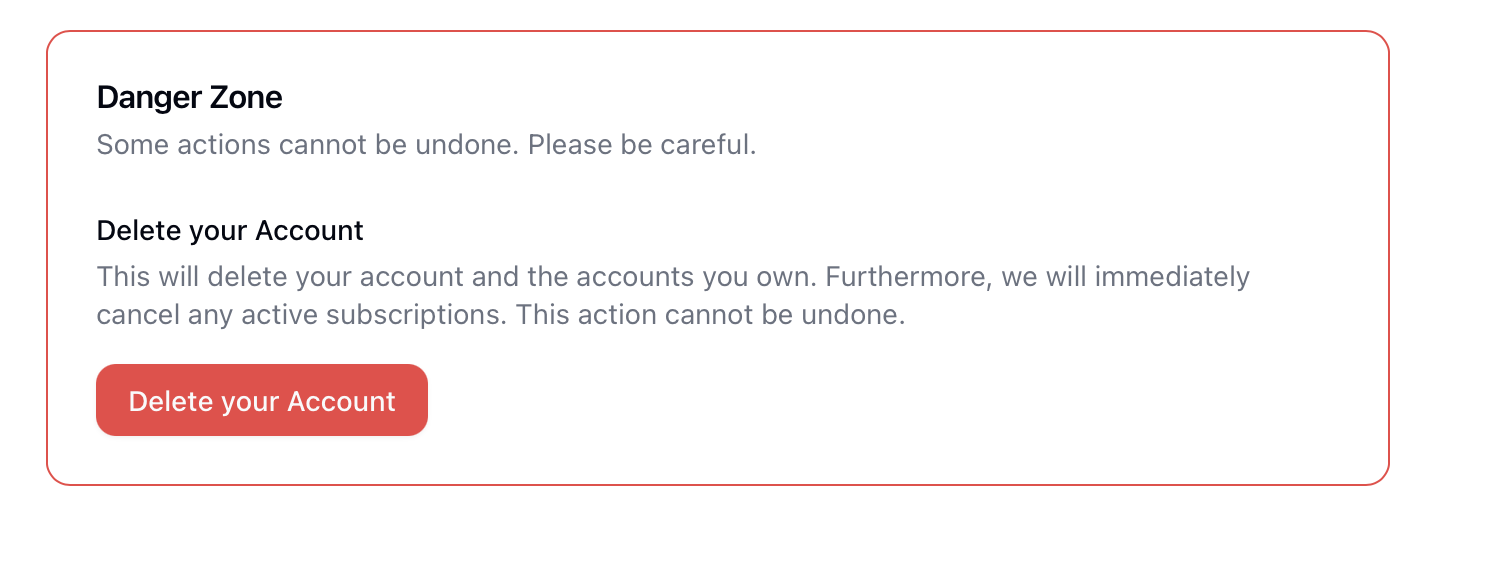
- Go to Profile Settings (
https://sellfaster.eu/home/settings) - Scroll to the Danger Zone section (outlined in red at the bottom)
- Find the Delete Account button
Step 2: Request Verification Code
- Click the Delete Account button
- A dialog opens requesting OTP verification
- A one-time password is sent to your registered email address
- Check your email for the verification code
Step 3: Enter Verification Code
- Enter the OTP code from your email
- The code verifies your identity and authorization
Step 4: Confirm Deletion
- After OTP verification, you'll see a confirmation warning
- Review the deletion description
- Click Delete Account to confirm
- Or click Cancel to abort the process
After Deletion
Immediate Effects
- You're signed out immediately
- Cannot sign back in
- Email address is released
Data Removal
- Personal data is deleted immediately
- Some records may be retained for legal compliance
- Team contributions remain but are anonymized
Re-registering After Deletion
After deletion, if you want to return:
- Create a new account with your email
- Start fresh - previous data cannot be recovered
- Rejoin teams - you'll need new invitations
Troubleshooting
OTP Code Not Received
If you don't receive the verification email:
- Check your spam/junk folder
- Ensure your email address is correct in your profile
- Wait a few minutes and try again
- Contact support if issues persist
Deletion Fails
If the deletion process fails:
- An error message will be displayed
- Click Cancel to close the dialog
- Try again or contact support
Related Topics
- Profile Settings - Account information
- Billing - Cancel subscription instead
- Security - Other security settings