After creating your account, you'll be guided through a streamlined onboarding process to set up your profile, create your team, and select a billing plan.
Onboarding Flow
The onboarding process consists of three quick steps to get you started:
Step 1: Profile Information
Enter your basic profile information:
- Your Name - Enter your full name
- Click Continue to proceed
This is how you'll appear to your teammates and throughout the application.
Step 2: Team Setup
Create your team workspace:
- Team Name - Enter a name for your team
- Click Continue to proceed
Your team name will be used to create a unique team workspace where you can collaborate with team members. A URL-friendly slug will be automatically generated from your team name.
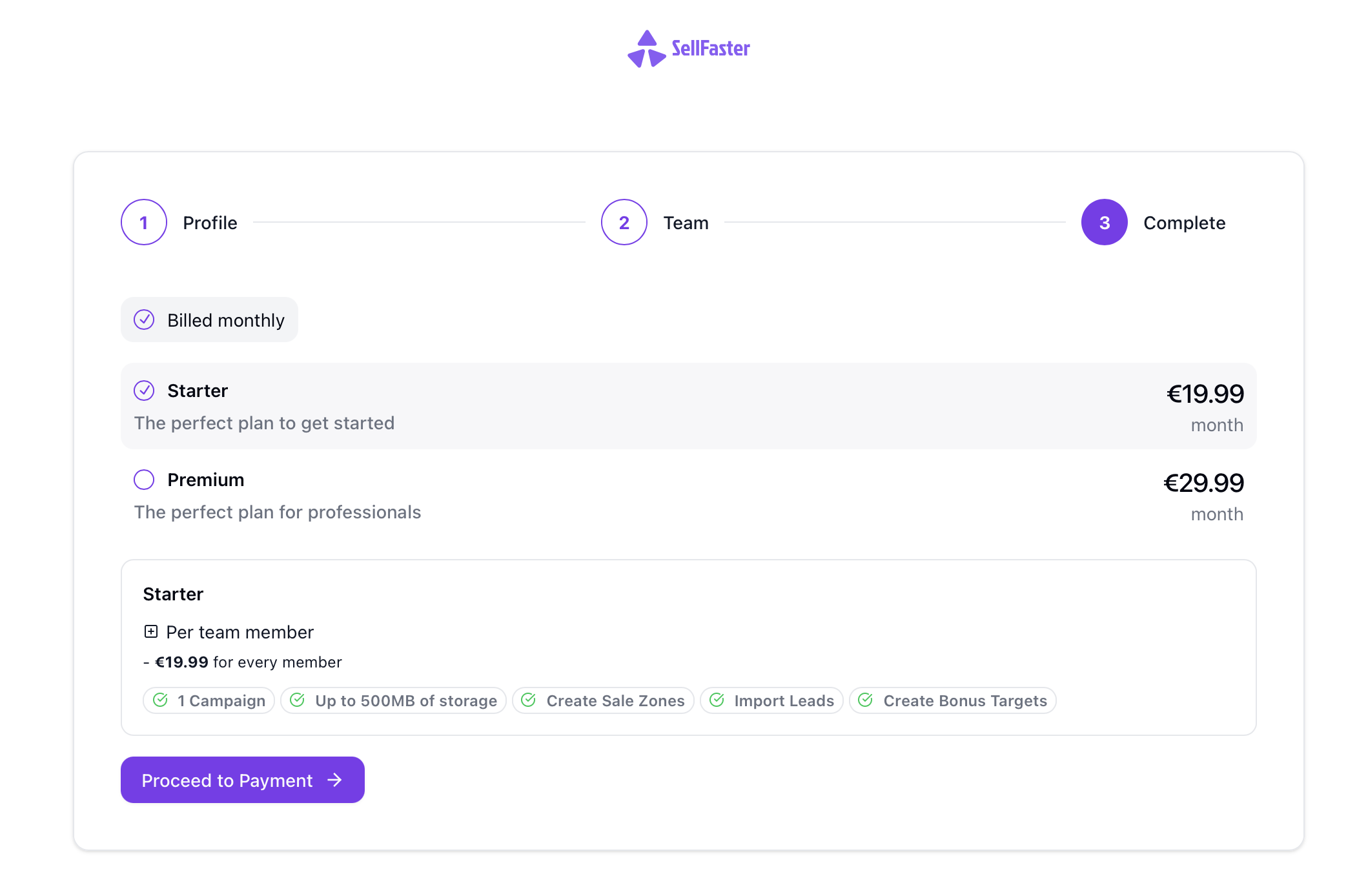
Step 3: Plan Selection
Choose the billing plan that works best for your team:
- Review the available pricing plans
- Select the plan that fits your needs
- Click on your chosen plan to proceed to checkout
After selecting a plan, you'll be taken to an embedded checkout where you can complete your payment setup.
Completing Onboarding
After completing the checkout process:
- You'll be redirected to a completion screen
- The system will finalize your account setup (this takes a few seconds)
- You'll see "Setting up your account..." while we prepare your workspace
- Once complete, you'll be automatically redirected to your home page
What Happens Next
After onboarding, you'll land on your home page where you can:
Joining an Existing Team
If you received a team invitation, the process is different from initial onboarding:
- Click the invitation link sent to your email
- Sign up or sign in if you haven't already
- Accept the invitation on the join page
- You'll be added to the team and redirected to the team workspace
Team invitations are handled separately from the onboarding flow and don't require you to create your own team.
Can't Find Your Team Invitation?
If you expected a team invitation but don't see it:
- Check that you're using the same email address the invitation was sent to
- Check your spam/junk folder for the invitation email
- Ask your team admin to resend the invitation
- The invitation may have expired - request a new one from your team admin
Updating Your Profile
If you need to update your profile information after onboarding:
- Name - Go to Profile Settings
- Team - Manage teams from the account switcher or create additional teams
- Billing - Update your subscription in the team billing settings
Troubleshooting
Onboarding Takes Too Long
If the onboarding completion screen seems stuck:
- Wait up to 30 seconds for the system to finalize your account
- Refresh the page if it takes longer than expected
- Try clearing your browser cache
- If the issue persists, contact support
Payment or Checkout Issues
If you encounter problems during the checkout step:
- Ensure your payment information is correct
- Check that your card has sufficient funds
- Try a different payment method if available
- Contact your bank if the payment is declined
- Reach out to support if you continue to experience issues
Next Steps
Once you've completed the first-time setup: