After months of development and beta testing, Sellfaster is officially live. This release brings a complete platform rebuild — everything your door-to-door sales team needs to canvass smarter, close faster, and get paid accurately. Here is everything that is new.
Terminology Updates
We have refined the language of the platform to better reflect how sales teams actually work.
- Projects → Campaigns. The units of work your team is organized around are now called campaigns. This better reflects that each canvassing effort has a defined scope, territory, and timeline.
- Addresses → Leads. Every location your team tracks is now called a lead, aligning the platform with standard sales terminology and making it easier to onboard new reps.
Map & Territory
Revamped Map View
The map has been completely rebuilt. Leads are displayed as color-coded markers that cluster at higher zoom levels, zones are rendered as colored polygon overlays, and you can overlay interaction and sale markers to see exactly what is happening in each territory. Toggle layers on and off, filter by zone, interaction state, product, sale state, or date range — all without leaving the map.
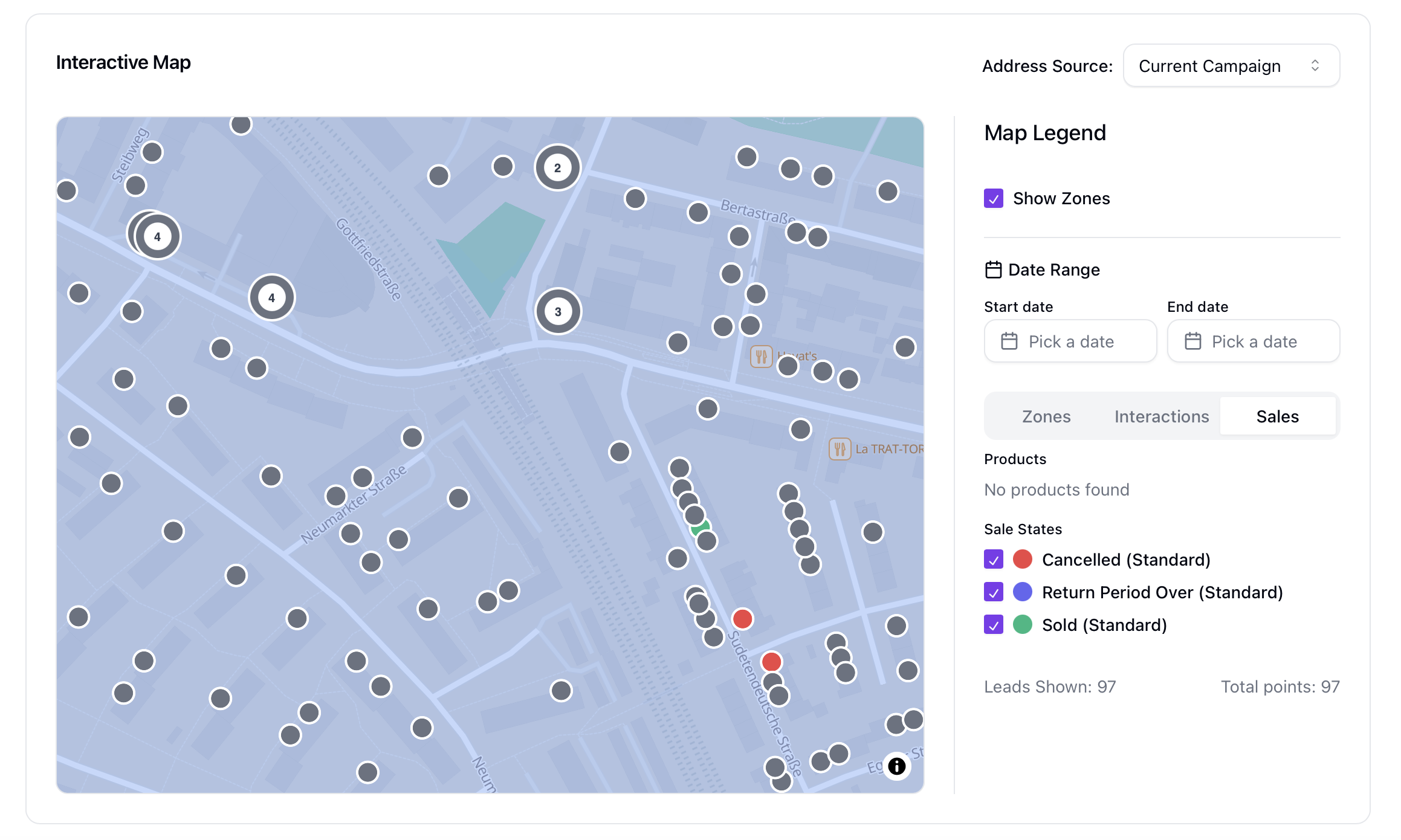
Lead Generation Based on Zones
Draw a zone polygon directly on the map and Sellfaster will automatically extract all addresses and businesses from OpenStreetMap data within that boundary as ready-to-work leads. No CSV import, no manual entry — just draw and go. Zones can be colour-coded, assigned to specific reps, and used as the scope for bonus targets, giving you a complete territory management workflow out of the box.
Leads & Data
Custom Fields for Leads
Teams can define their own fields on lead records — text, numbers, dates, or dropdowns. Custom fields appear in the lead form, the leads table as optional columns, and are fully searchable and filterable. They work in structured queries (cf:field_key = "value") and in saved views.
Team-Wide Interaction States
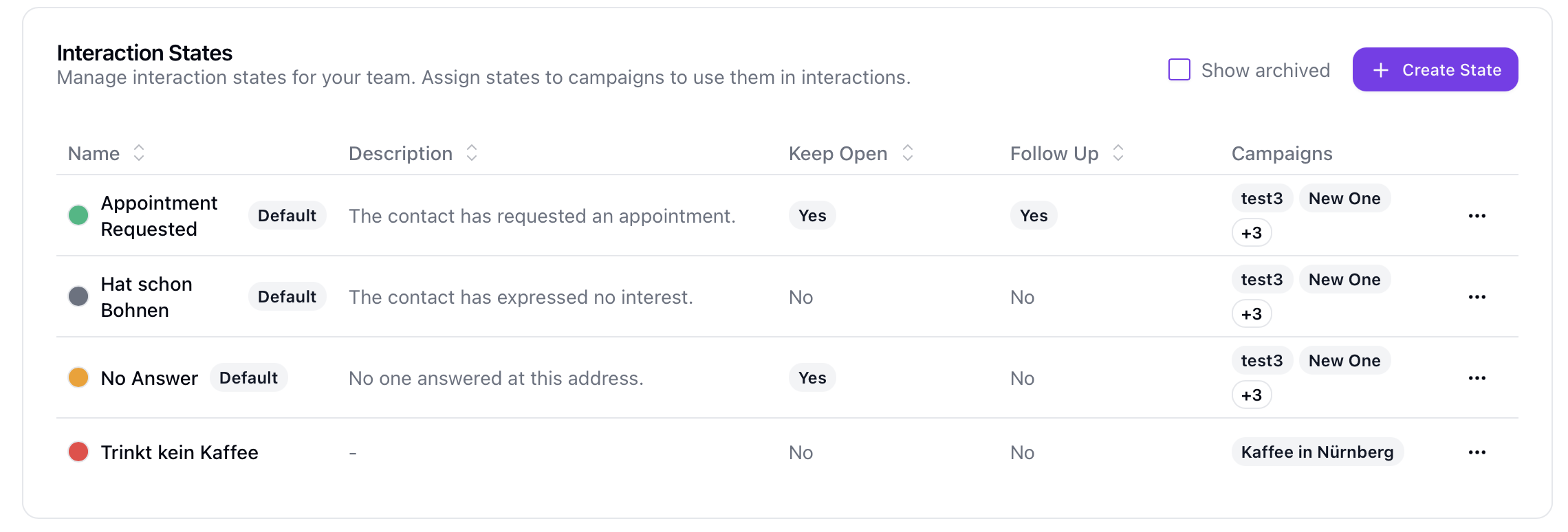
Interaction states — the stages a lead moves through in your sales process (e.g., No Answer, Interested, Appointment Requested) — are now managed at the team level and assigned to campaigns. States can be configured with colors, follow-up requirements, and campaign assignments, giving every manager a consistent view across all territories.
AI-Assisted Search
The lead search now supports three modes: simple text search, a structured JQL-like query language, and a new AI mode. In AI mode, you type a plain-language query ("show me leads in Berlin that are interested") and the system translates it into precise filters automatically. Structured queries support custom fields, multiple operators, and AND/OR logic.
Saved Views
Configure your lead list with filters, search mode, column visibility, sort order, and page size — then save the entire configuration as a named view. Load any saved view in one click from your personal account menu. Views can be reordered, renamed, and given custom icons.
Send and receive emails with leads directly inside Sellfaster — no switching between tools. Add a custom field of type email to your lead template, connect your own SMTP server (and optionally an IMAP server for reply tracking), and a compose button appears on every lead that has an email address on file. Sent emails are automatically logged as interactions on the lead, replies are captured and threaded when IMAP is configured, and the full conversation history sits alongside visits, calls, and notes in one place. Your team's sender name, from address, and signature are configured once in team settings and apply to every outgoing message.
Sales & Inventory
Inventory System
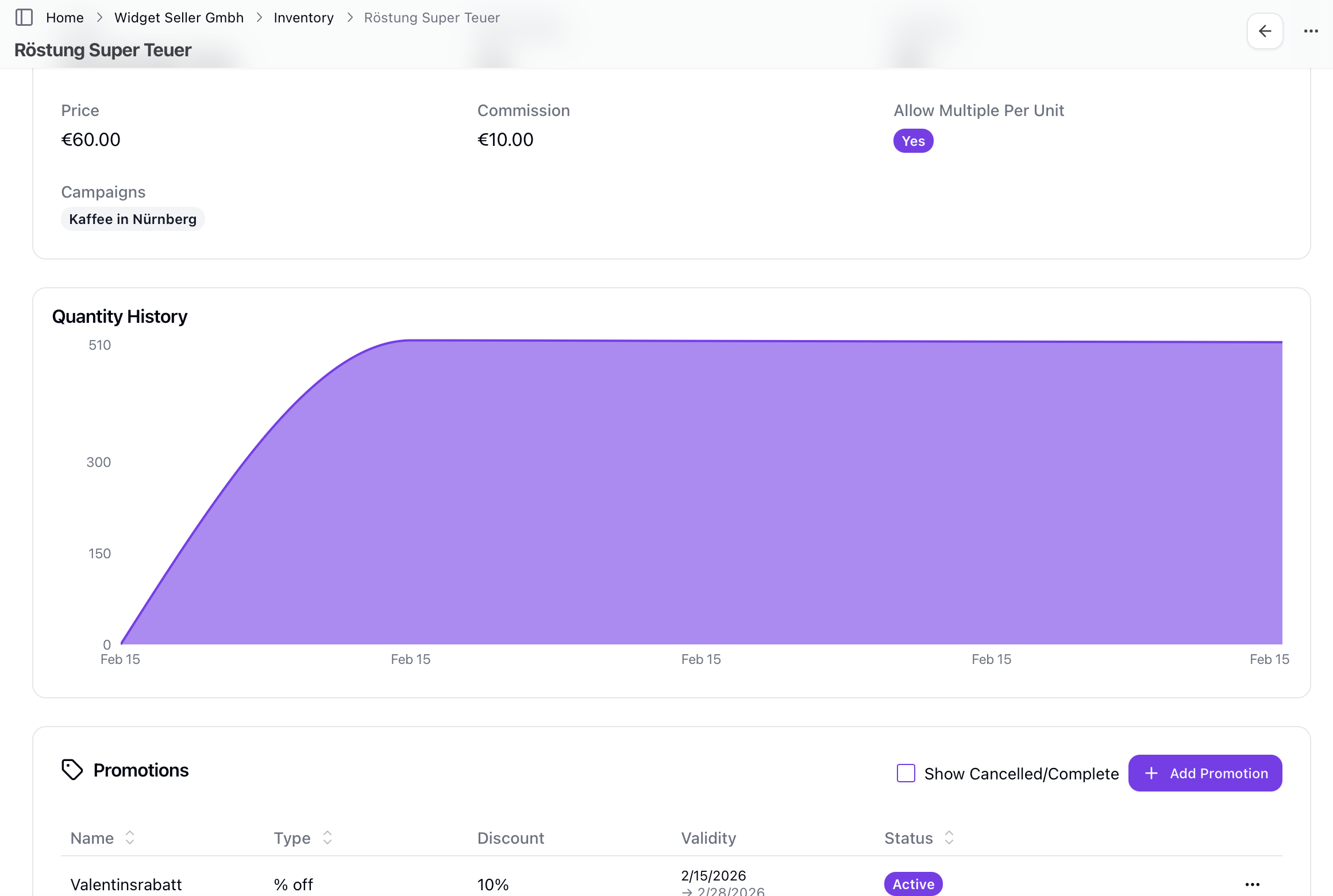
Products are now managed in a central inventory. Each product has a name, description, price, per-unit commission amount, and optional quantity tracking. Products can be assigned to specific campaigns to control availability, and stock movements (shipments in and out) are logged for full traceability. On top of that, you can run promotions on any product — set a date range and a promotional price or commission override, and the system applies it automatically during that period. Promotions are tracked on every affected sale and commission entry so the numbers always add up correctly.
Configurable Sale Models
Sale models define the entire lifecycle of a sale: which states it can be in (e.g., Proposal, Confirmed, Cancelled), which transitions are allowed, when commission is earned, and when it is reclaimed. Teams can create multiple models, assign them per campaign, and configure auto-transitions that advance a sale after a set number of days — for example, auto-confirming a proposal after a 14-day cooling-off period.
Orders
Orders group multiple sales to the same customer into a single record, making it easier to track multi-product deals and generate accurate commission summaries for complex transactions.
Commission & Payouts
Custom Commission Report Templates
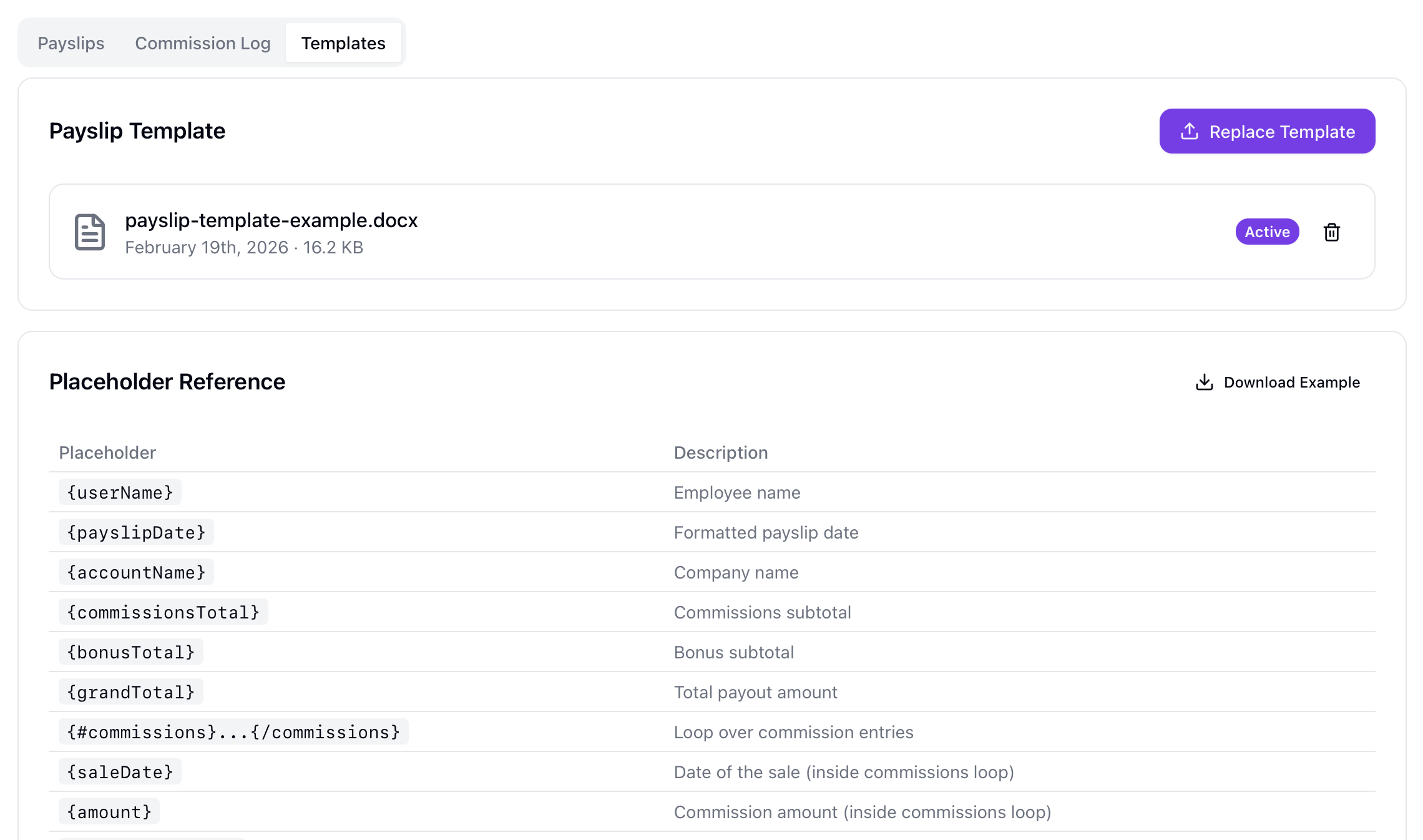
Upload a .docx template with placeholders and every generated payslip will match your company's branded layout. Templates support individual commission line items, bonus target entries, totals, and all key payslip metadata. The template is validated on upload and an example is provided to get you started.
Account-Wide and Person-Specific Bonus Targets
Create bonus targets scoped to the entire team, a specific salesperson, or a specific campaign (with optional zone-level focus). Each target has a monetary goal, a bonus payout amount, a date range, and optionally a product filter. Progress is tracked in real time and contributing sales are listed in the target detail view.
Dashboard & Reporting
Dynamic Dashboard System
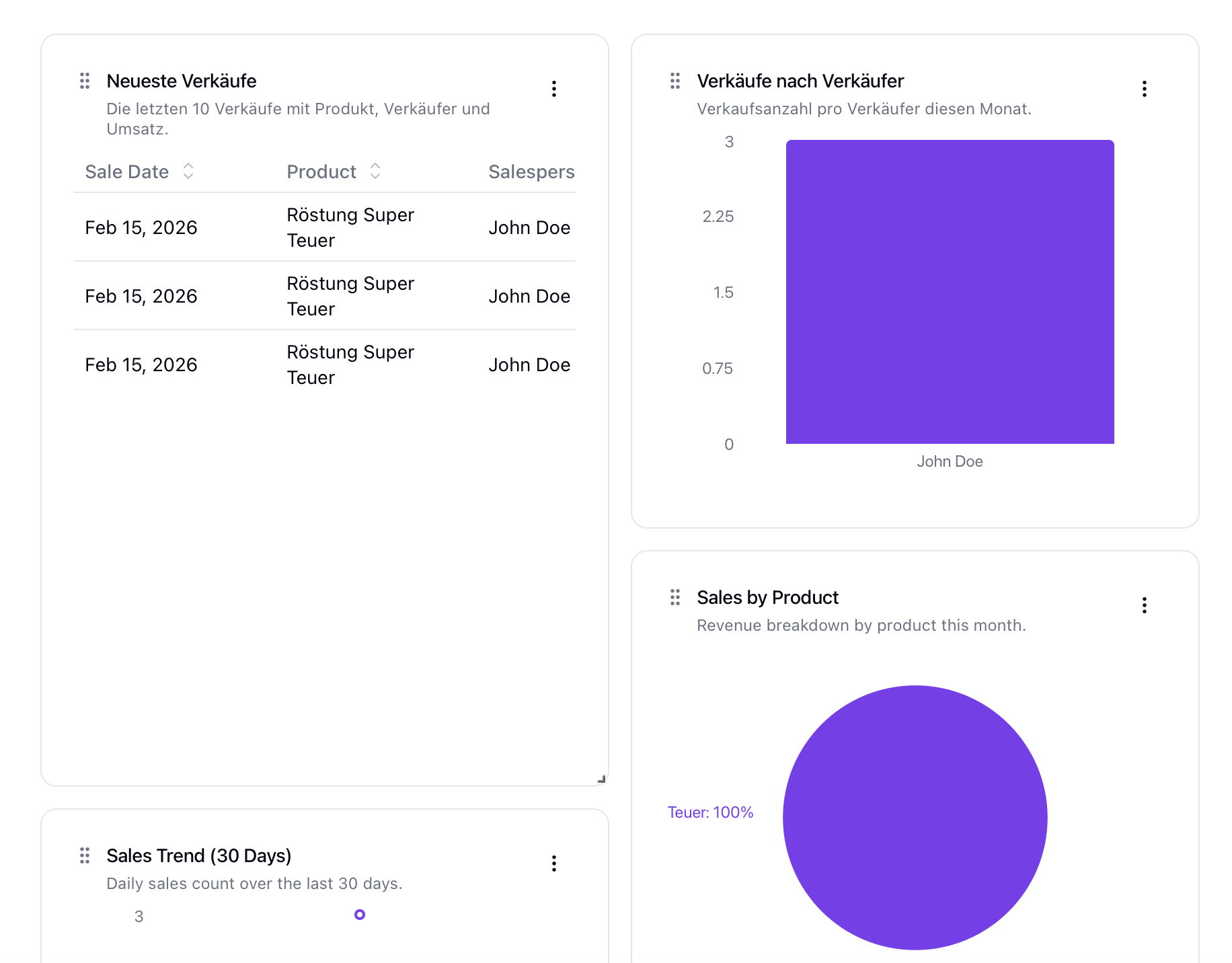
Build fully custom dashboards from a library of widget types: metric cards, KPI cards with target comparison, bar, line, area, pie, and doughnut charts, data tables, and link widgets. Not sure where to start? Pick from a growing collection of pre-built widget templates — one click adds a ready-made widget that you can customise from there. Dashboards can be private or shared with granular view/edit permissions per user or role. Each widget auto-refreshes every 60 seconds and can pull from any data source — sales, commissions, interactions, leads, zones, bonus targets, inventory, and more.
User Profiles with KPIs
Every team member now has a profile page with their personal KPIs: sales count, commission earned, targets hit, and activity over time. Managers can review individual performance without building a custom dashboard for each rep.
Daily Welcome Message
When sales reps open the app at the start of their day, they are greeted with a personalised welcome message showing their current KPIs — sales today, open leads, upcoming follow-ups. It is a lightweight way for managers to keep everyone aligned without sending separate briefings.
Platform & Operations
Full German Translation
The entire Sellfaster interface is now available in German. Language is set per user account and all labels, error messages, and documentation pages are fully localised. We are launching with English and German; more languages are on the roadmap.
Documentation
A full user guide is now live at sellfaster.eu/docs, covering every feature in both English and German. Each section includes step-by-step instructions, tables, and annotated screenshots.
Audit Log
Team owners can review a change history for key records — dashboards, interaction states, sale models — showing who made what change and when. This makes it straightforward to investigate unexpected configuration changes and maintain accountability across large teams.
Performance Improvements
This release includes significant under-the-hood improvements to page load times, map rendering, and list pagination. Large datasets that previously felt sluggish should be noticeably faster.
We are excited to have you on board. If you have questions, explore the documentation or reach out through the in-app support link. More updates are already in progress — stay tuned.